Read TSLA's session flow without flattening it into one signal.
A two-part TradingView toolkit for tracking intraday state and reviewing decision context across the regular-hours session.
Long flowShort flowNeutral
Airv1.0.0Under Review
Prov2.0.0Under Review
01 / PROTECTED / FREE
TSLA Intraday Flow Air
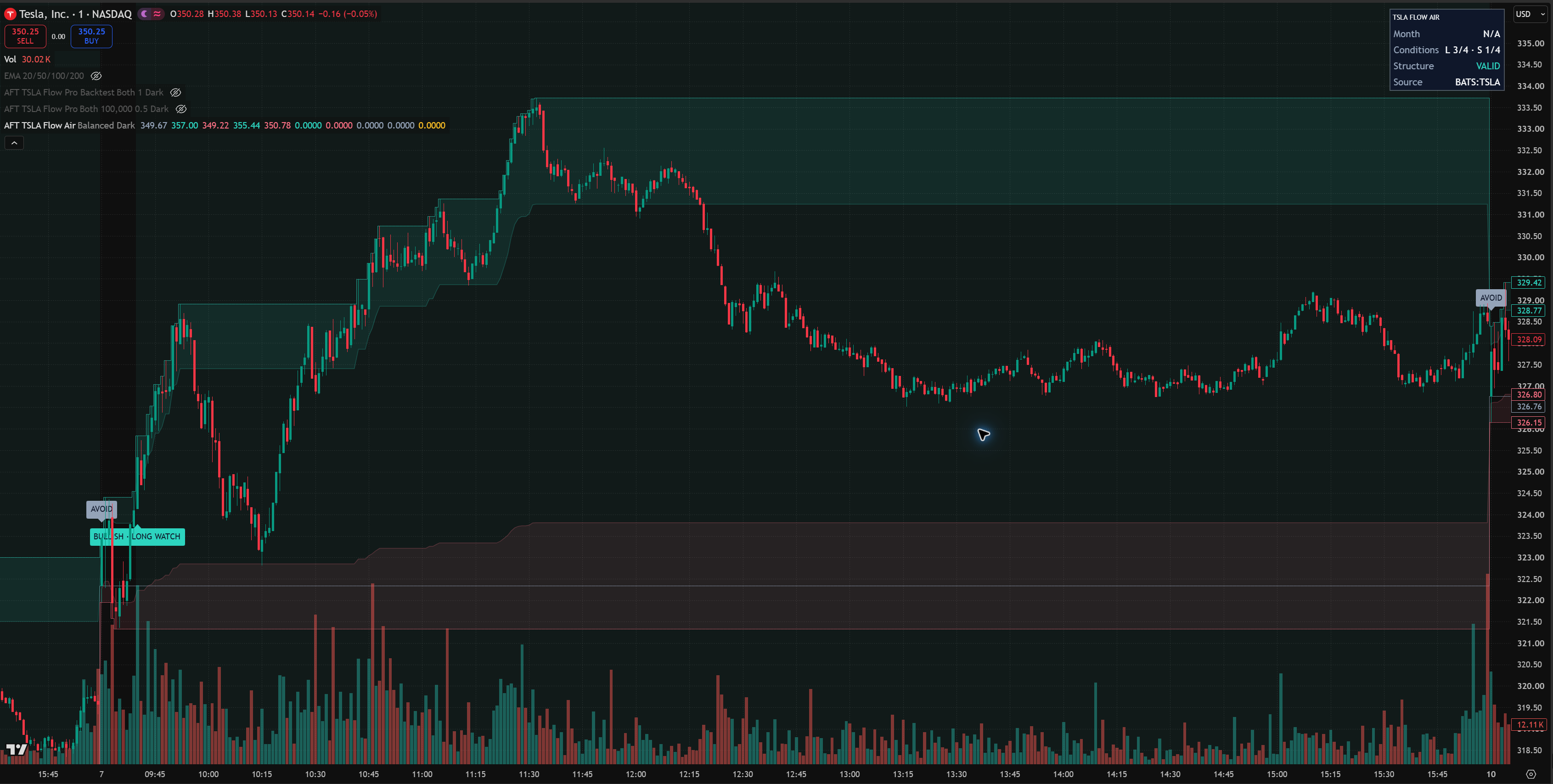
The free product maps each regular-hours session into evolving research states, so you can read context before considering any setup.
Tracks RTH open, session high and low, and top / bottom 20% reference bands.
Shows Bullish / Long Watch, Bearish / Short Watch, Avoid, Invalidated, and Range Exhausted transitions.
Includes a live context panel for bias, readiness, range room, pullback, early extremes, and structure.
Under Review · email claim not open
Actual TradingView interface · TSLA Intraday Flow AirPublisher-supplied capture of the current Air interface. Market data demonstrates the interface, not a live signal.
02 / INVITE-ONLY / USD 30 MONTHLY
TSLA Intraday Flow Pro
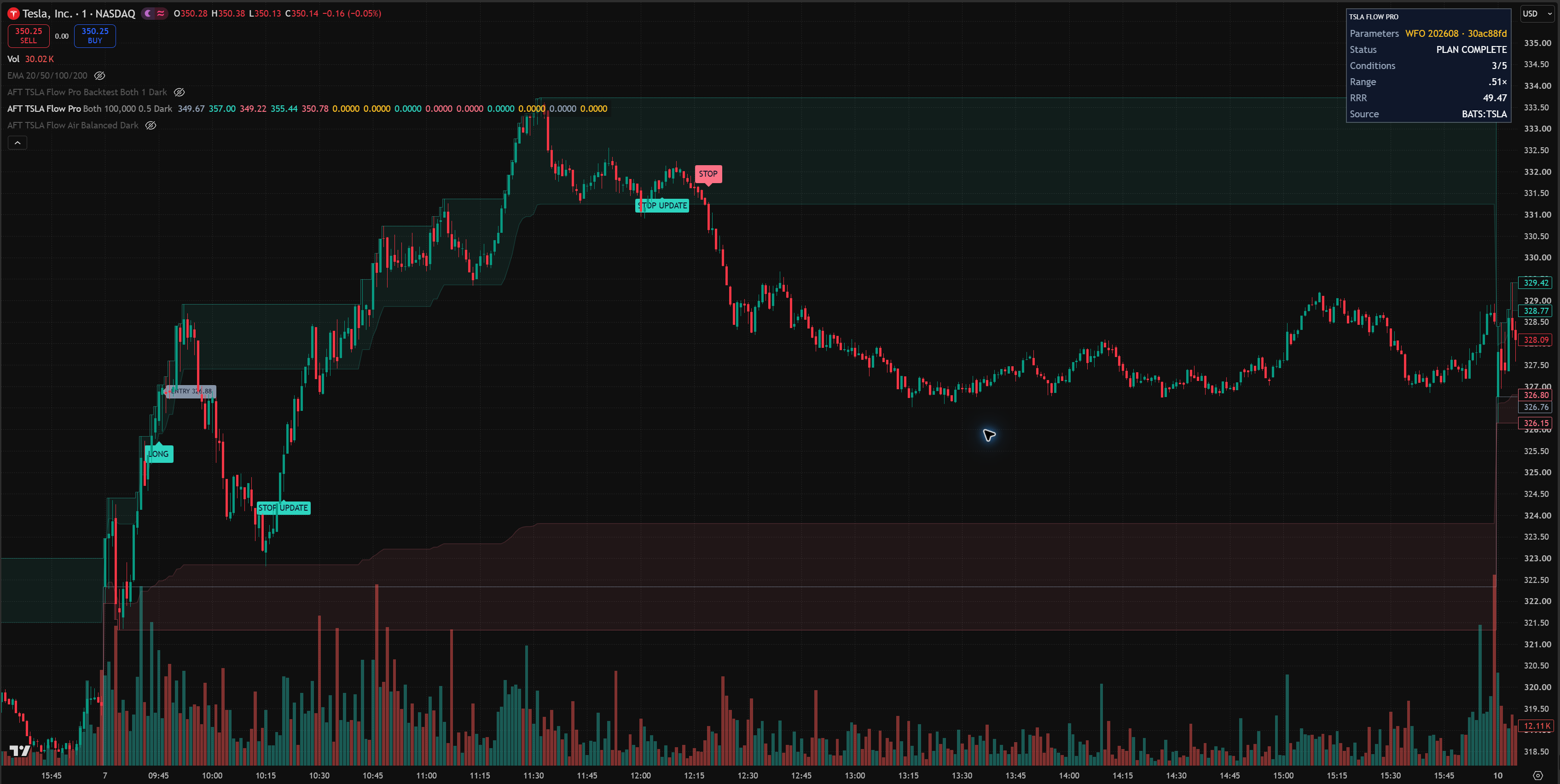
Pro keeps the same session map, adds a stricter condition scan and risk workflow, and includes the TSLA Pro Backtest companion under the same subscription.
Adds Long / Short direction control, Balanced preset logic, and a five-condition readiness scan.
Displays DHL use, entry / stop context, calculated risk shares, and the currently active exit mode.
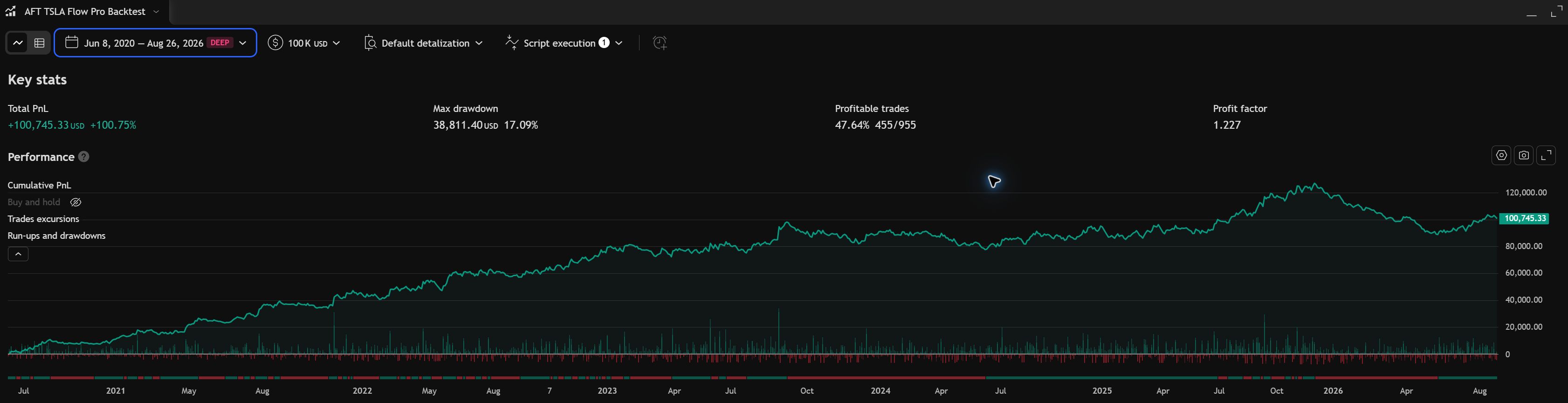
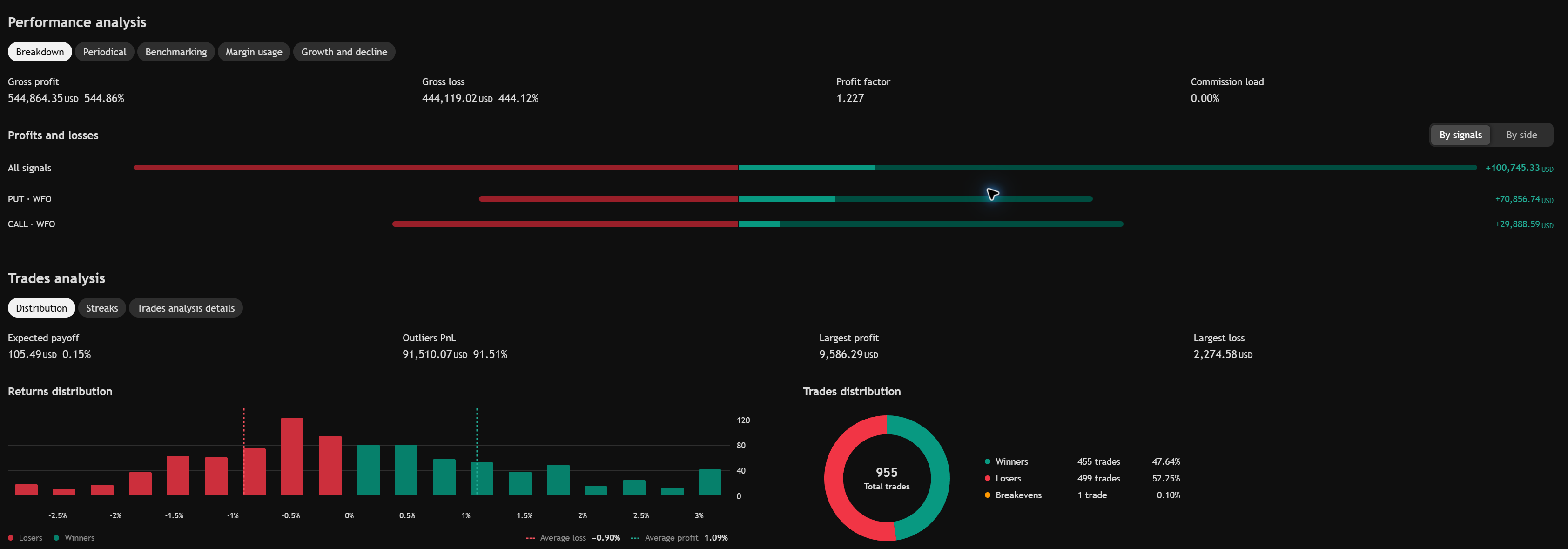
Includes the TSLA Pro Backtest overview and performance-analysis workflow without a separate SKU.
Actual TradingView interface · TSLA Intraday Flow ProPublisher-supplied capture of the current Pro interface. Market data demonstrates the interface, not a live signal.Actual TradingView Strategy Tester · TSLA Pro Backtest overviewHistorical or hypothetical Backtest results use assumptions and do not guarantee future performance.Actual TradingView Strategy Tester · TSLA Pro Backtest analysisHistorical or hypothetical Backtest results use assumptions and do not guarantee future performance.
PRODUCT LEDGER
The same session language, at two levels of depth.
FEATUREAIRPRO
RTH session ledgerCoreFull
Long / short state contextCurrentExpanded
Condition and risk contextNoAvailable in Pro
Backtest companionNoIncluded in Pro
Manual Protected Script accessNoYes
SupportDocsDocs + access support
MANUAL ACCESS
From checkout to TradingView access
01
Subscribe
Choose TSLA Intraday Flow Pro on Pricing. The product detail is displayed at USD 30 monthly and includes the TSLA Pro Backtest companion.
02
Submit username
Enter the exact TradingView username in your account. Pro then enters the manual access queue.
03
Manual grant
An administrator adds the username to Pro in TradingView Manage Access, then records the confirmation here.
Support covers account, billing, and TradingView access issues. Version one does not include strategy customization, live trade calls, or one-to-one investment advice.
FAQ
Before you subscribe
Does Premium automate access?
No. The publisher's Premium account enables publishing and Manage Access; every customer grant and removal remains manual.
Can I transfer access to another username?
Active access cannot be moved directly. Submit a change request; the old access stays in place until an administrator completes the Pro access change.
What happens after a payment problem?
A past-due subscription appears in Payment Issues without immediate removal. Unpaid, canceled, expired, or paused access is queued for removal.
Is this a trading recommendation?
No. The tools provide research context. They do not promise outcomes or replace independent judgment.